How to Plan Better Multi-Stop Routes
Build efficient sequences for errands, deliveries, and travel days with multiple destinations.
Plan routes with confidence, compare alternatives quickly, and discover useful places along the way. This free navigation experience is built for commuters, travelers, and anyone who wants clearer map guidance.
Enter a start and destination to view route options side by side, then pick the path that best matches your schedule and priorities.
Open detailed step instructions instantly, print your route when needed, and quickly review each maneuver before you head out.
Find nearby gas stations, restaurants, hotels, coffee shops, and shopping destinations without leaving the map view.
Switch between road, satellite, traffic, light, and dark map layers depending on your environment, time of day, and route planning needs.
Ideal for everyday navigation, street-level orientation, and city driving.
Helpful for landmark recognition, terrain awareness, and destination previews.
Monitor congestion patterns and adapt your route when conditions shift.
A clean style that improves readability during daytime route planning.
Lower-glare presentation for evening use and reduced visual fatigue.
Read practical tutorials and planning strategies built for real-world driving, road trips, and daily commuting. Explore our updated library of 34 focused navigation guides.

Build efficient sequences for errands, deliveries, and travel days with multiple destinations.

Reduce distraction and improve confidence with better in-car navigation routines.

Learn how to prep maps and route backups before driving outside reliable coverage.

Use congestion trends to choose better departure windows and avoid peak slowdowns.

Prepare routes, stop points, and contingencies before long-distance travel.

Plan around weather risk, service gaps, and route alternatives during winter conditions.
Use these step-by-step operational pages to get more value from the planner beyond basic route lookup.

A practical walkthrough for search, route comparison, map layers, and safer in-drive execution.
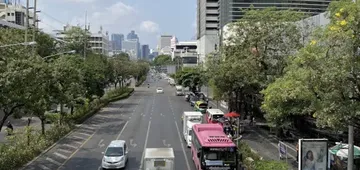
Step-by-step sequencing logic with a printable planning template and midpoint review method.
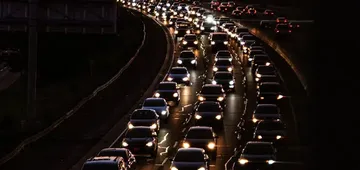
Best practices for route handoffs, version control, and backup communication.
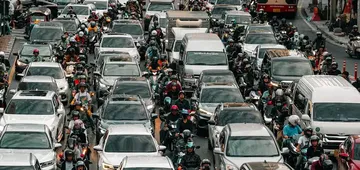
Learn to convert traffic visuals into better departure and reroute decisions.
Review alternate options by time and distance before choosing your preferred route.
Search places directly on the map or go straight to turn-by-turn route planning.
Find practical stops close to your current view and route context in one click.
Switch between map styles and traffic overlays to match your planning workflow.
Use the map above to search locations, compare routes, and travel with better context.